Key Features
- Trigger and decode OA3p to check config, status, and data integrity
- Inspect received data for MDI signal integrity and interference issues
- Monitor commands to assess transceiver status
- Check MDIO traffic to verify transceiver configuration
- Trigger on Beacon, ID, ID + DATA, Commit/Sync, ESD and CRC-Error
- Automatically identifying Node ID simplifies setting up the trigger /decoder
- Intuitive, color-coded decode overlays
- Interactive protocol table with zoom and pattern search
- Verify PLCA timing with automated measurements
- Serial digital data extraction to an analog value (serial DAC) with waveform graphs
- Filtering by node ID and Eye Diagrams with failure location identify physical layer issues
Conditional DATA Trigger Setup ("T")
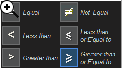
The trigger permits a conditional (<. <=, =, >, >=, <>, inside a range, outside a range) setup for
the DATA condition. This is especially useful in situations where abnormal events should be monitored, such as when
a node broadcasts a low or high engine RPM or coolant pressure.
Trigger Flexibly Across Data Bytes ("T")
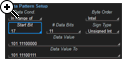
Many vehicle bus software architectures are very message dense, and data for a single message is spread across
multiple data bytes. Our trigger and measurement toolsets permit isolation of specific bit-level data patterns in
one or more data bytes, e.g., data location in bits 18-26 in data bytes 2 and 3. This provides significant
advantages in isolating the exact information or behavior you need.
Intuitive, Color-coded Decode Overlays ("D")
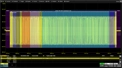
A transparent overlay with color-coding for specific portions of each protocol and the entire message frame makes it
easy to understand your serial data information. Unlike other solutions, with protocol decode information away from
the signal, our solution correlates the waveform and the protocol decode directly on the display. As the acquisition
length is expanded or shortened, the decode overlay will adjust to show you just the right amount of information.
Interactive Table Summarizes Results ("D")
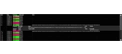
Turn the oscilloscope into a protocol analyzer with a tabular display of decoded information. Customize the table to
show only the data of interest and touch a message in the table to automatically zoom to it and display it on the
screen. Export the table for offline analysis. Up to four different decoded signals of any type may be
simultaneously displayed in the table.
OPEN Alliance 3‑Pin (OA3p) Interface Support
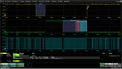
Providing deeper visibility into transceiver configuration, status, and physical‑layer behavior, the AUTOENET‑10M
Bundle adds powerful OA3p trigger and decode capabilities to 10Base‑T1S TDME. Engineers can verify MDIO‑based
configuration changes, monitor command sequences such as RESET, Commit/Sync, or low‑power transitions, and analyze
received data for interference or MDI signal‑integrity issues.
An interactive protocol table displaying MDIO, Rx, Tx, and MDI activity simultaneously delivers comprehensive
insight into both digital behavior and the underlying physical layer—helping engineers validate 10Base‑T1S systems
with confidence.
Measure/Graph Tools for Validation Efficiency ("M")
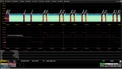
Quickly validate cause and effect with automated timing measurements to or from an analog signal or another serial
message. Make multiple measurements in a single long acquisition to quickly acquire statistics during corner-case
testing. Serial (digital) data can be extracted to an analog value and graphed to monitor system performance over
time, as if it was probed directly. Complete validation faster and gain better insight.
Eye Diagrams ("E")
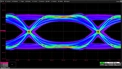
Rapidly display an eye diagram of your packetized low speed serial data without additional setup time, and use eye
parameters or standard/custom masks to quantify system performance. Mask hits can be flagged and can automatically
force the oscilloscope into Stop mode. By filtering on arbitration ID and other protocol table fields, engineers can
correlate problematic packets with degraded eye patterns, making it possible to quickly identify the root cause of
signal integrity issues and link them directly to specific frames or bus conditions.